Compass app for Android

The compass that tells you when to trust it

Compass is a compass, bubble level, inclinometer and direction finder in one calm app. It checks its own sensor all the time and says in plain words when a reading may be wrong, and how to fix it.

  • No ads
  • No account
  • Core tools work offline
  • Magnetic or true north
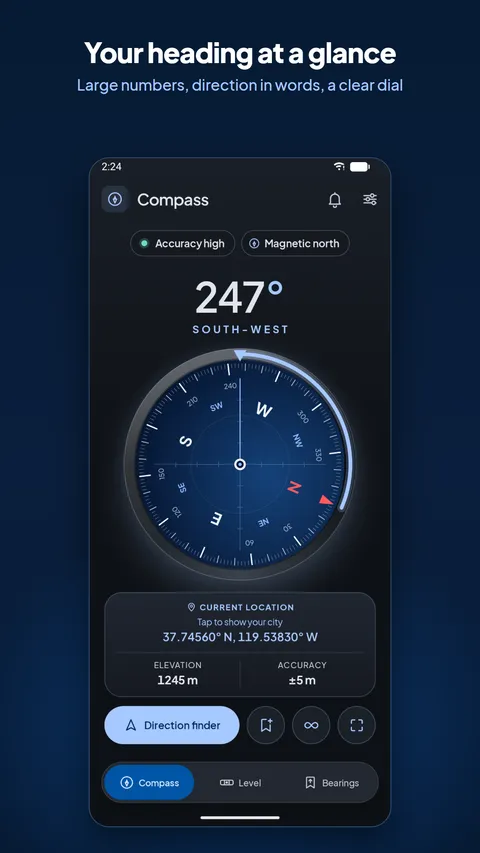
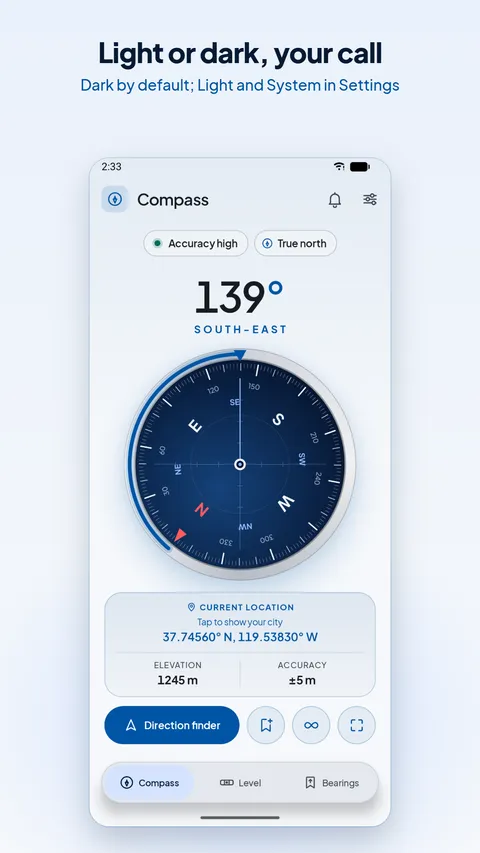
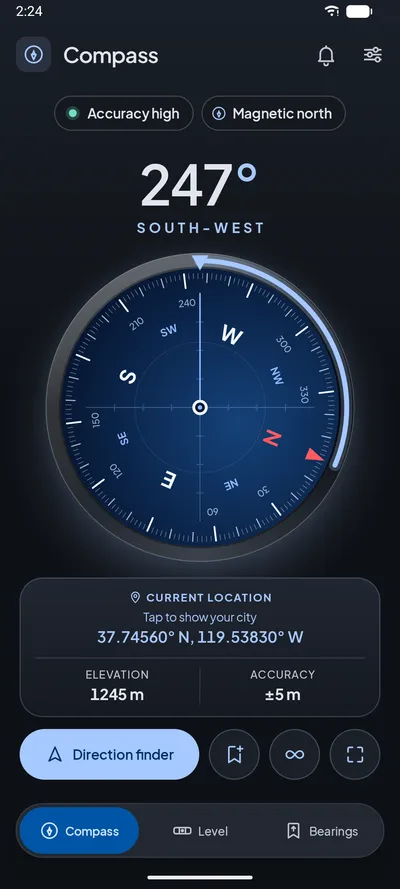
Compass app screen showing a navy watch-face dial, the heading in large numbers with the direction in words, and a current-location card with elevation and accuracy

Why it exists

Phone compasses are often wrong, and they never say so

The magnetometer in your phone drifts out of calibration and is easily pulled off course by laptops, speakers, cars, magnetic cases and mounts. Most compass apps still show a confident number. Compass doesn't.

Silent errors, caught

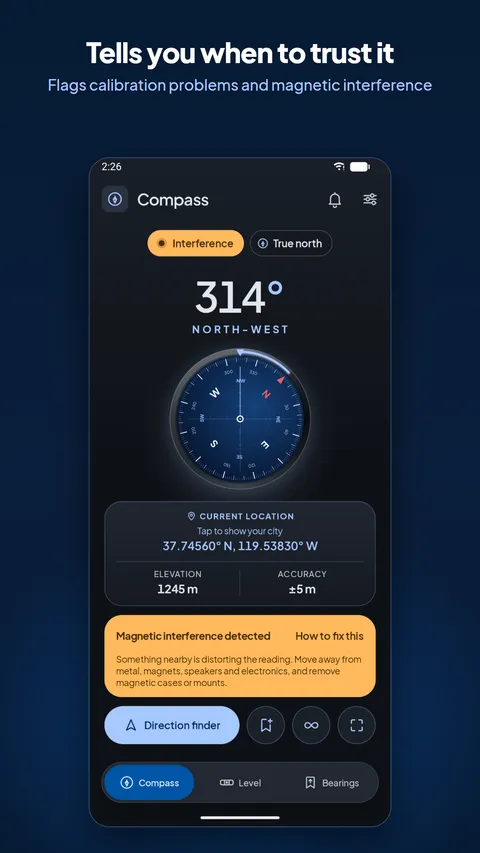
Compass watches the sensor's accuracy, the strength of the magnetic field and how well it matches the Earth's field where you are. If anything looks off, you see "Calibration needed", "Interference" or "Check calibration", with steps to fix it.
Magnetic or true north

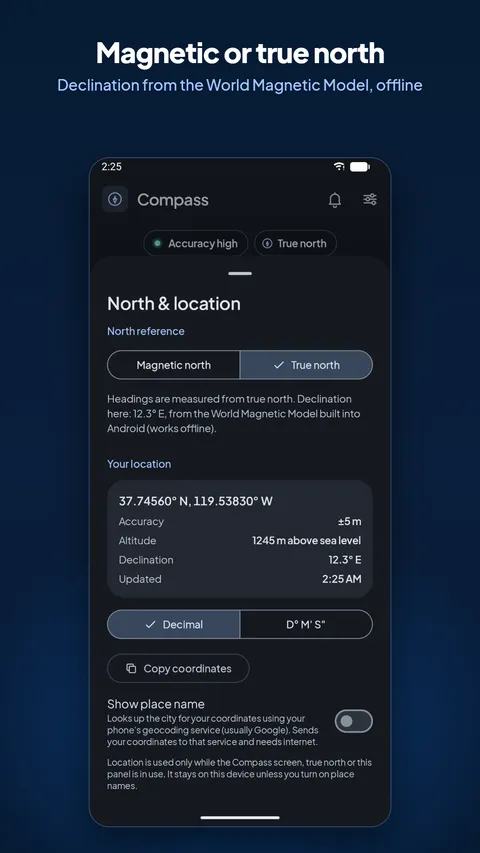
Maps use true north; a raw compass shows magnetic north. Compass applies your local magnetic declination using the World Magnetic Model built into Android, so true north works even with no signal.

More than a compass

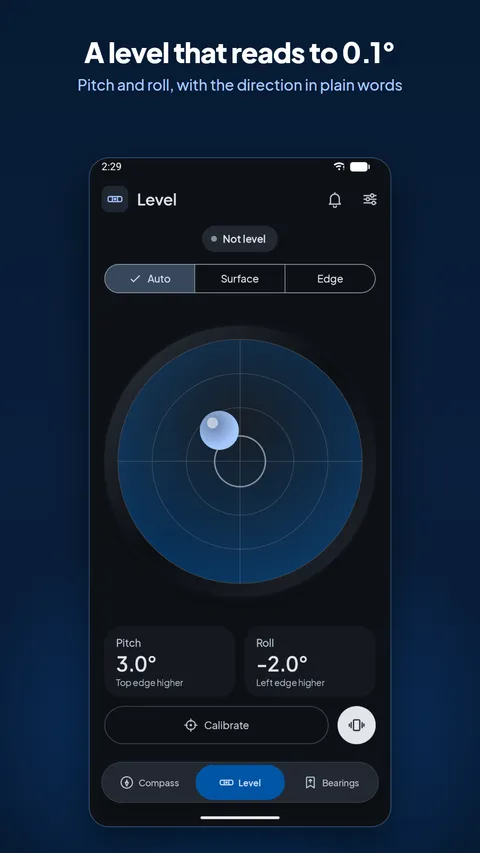
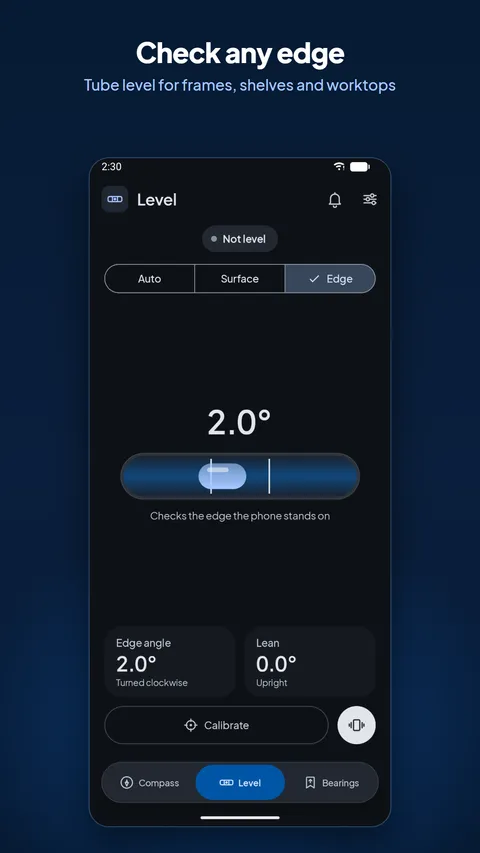
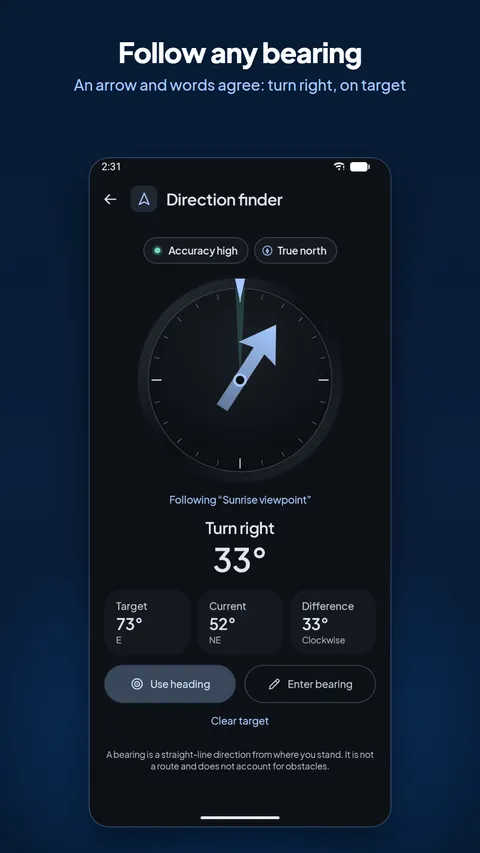
Level shelves and picture frames, measure a slope to 0.1°, or follow a bearing with a clear arrow that says "Turn right 33°" until you're on target. All in the same app, all offline.

Four tools, one app

Everything you need to find your way and level things up

Each tool is built around the same rule: never show a fake reading. When the sensors can't give a trustworthy answer, Compass tells you instead of guessing.

How the trust check works

Three checks behind every heading

Before you rely on a direction, Compass runs three independent checks, many times a second, and turns the result into one clear status.

  1. Sensor accuracy

    Android reports how confident the magnetometer is. Low or unreliable accuracy, or a large error estimate from the fused heading, triggers Calibration needed with figure-8 help.

  2. Field strength

    The Earth's magnetic field is roughly 20–70 µT. A field outside that band means something nearby, like a laptop, speaker or magnet, is distorting it: Interference.

  3. Match with the Earth's field

    With your location, Compass compares the field's dip and strength with the World Magnetic Model for that place. A big mismatch shows Check calibration.

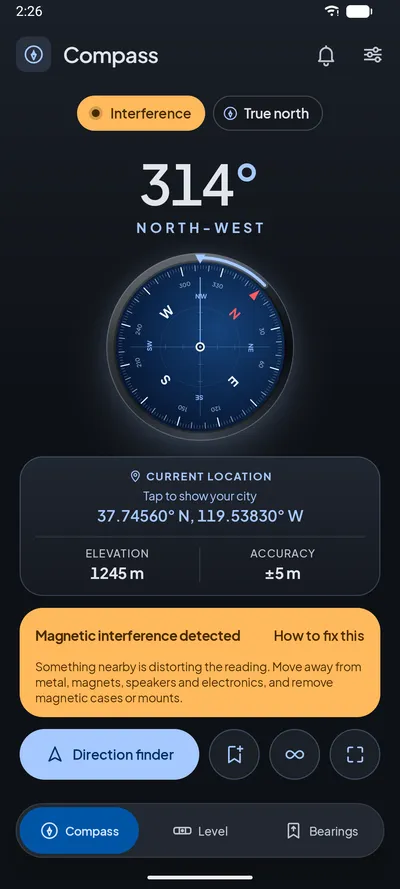
Compass screen with an amber Interference chip and a card explaining that something nearby is distorting the reading
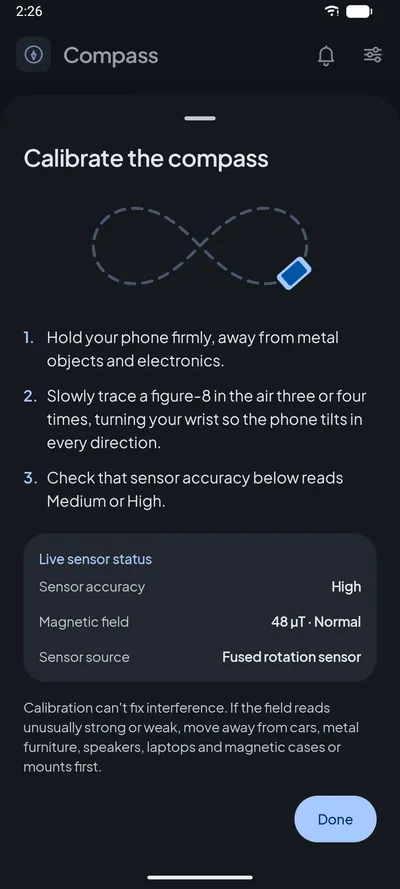
Calibrate the compass sheet with figure-8 instructions and the live accuracy status

Screenshots

Real app screens, captured on Android. Dark theme by default, with Light and System options.

Who it's for

Made for people who need the answer to be right

Hikers & travellers

A reliable heading and a bearing to follow when there's no signal, with true north that matches your map.

DIY & home set-up

Level shelves, frames, worktops and appliances, or measure the tilt of a surface, to a tenth of a degree.

Students & scouts

Learn directions, bearings and the difference between magnetic and true north with real numbers.

Precise orientation

Face an exact bearing, such as aligning a satellite dish or a room layout, with calibration help when it matters.

Private by design

Your location stays on your phone

Compass asks for location only when you turn on a feature that needs it, uses it only while you're looking at it, and never stores it.

  • No account and no ads, ever asked of you
  • Compass, level, direction finder and true north need no internet
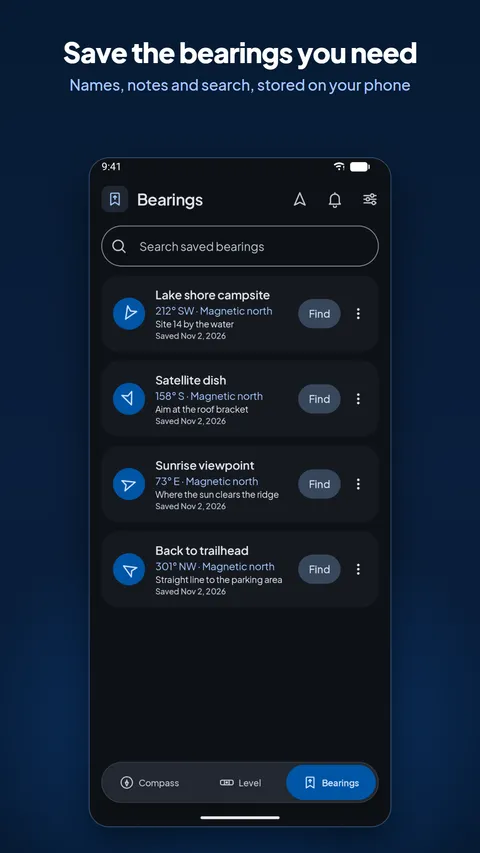
  • Saved bearings are stored only on your device
  • City names are off by default and only looked up if you turn them on
  • Usage statistics and crash reports can be turned off any time in Settings
Read the privacy policy
0ads in the app
0accounts or sign-ups
0.1°level resolution
7.0+Android version supported

Questions

Frequently asked questions

Does Compass work offline?

Yes. The compass, level, direction finder, saved bearings, true north, coordinates and elevation all work without internet. Only three things need a connection: the optional city name, receiving notifications, and sending usage statistics and crash reports (which wait until you're back online and never block a tool).

How accurate is the compass?

Compass shows exactly what your phone's sensors measure, rounded to whole degrees, and smooths the movement so the dial doesn't jump. Its accuracy is limited by your phone's magnetometer, so we don't promise a fixed figure. What the app does guarantee is honesty: it checks the sensor's accuracy, the field strength and, with your location, the match with the Earth's field, and warns you whenever one of them looks wrong.

How do I calibrate my phone's compass?

When Compass shows Calibration needed, tap it to open the calibration guide, then:

  1. Move away from metal, magnets, laptops, speakers and cars.
  2. Remove a magnetic case or mount if you use one.
  3. Hold the phone and slowly trace a figure-8 in the air a few times, turning your wrist so the phone points in different directions.
  4. Watch the live status in the sheet; it updates as the sensor recalibrates.

You can open the same guide any time from Settings → Calibration help.

What is the difference between true north and magnetic north?

True north points to the geographic North Pole, which is what maps and GPS use. Magnetic north is where a compass needle points, and it moves over time. The angle between them is called magnetic declination and depends on where you are; in some places it's more than 10°. Compass can show either. For true north it adds your local declination, calculated on the phone with the World Magnetic Model built into Android.

See all questions

Know which way you're facing, and when to trust it

Get Compass for your Android phone or tablet. No ads, no account, and the core tools work offline.